Blocks
Blocks for everything around the terminal.
A block shows a result next to the shell that made it: a diff, a commit graph, a file, a page, a deployment, an infrastructure map. Each kind of block comes from an extension. The official extensions come with the app, so every block on this page is in the download; turn each on or off in Settings → Extensions.
- Available
- In the desktop app you download today.
- Preview
- Built and being finished. Not in the current download.
- Planned
- Not released yet.

 Recording
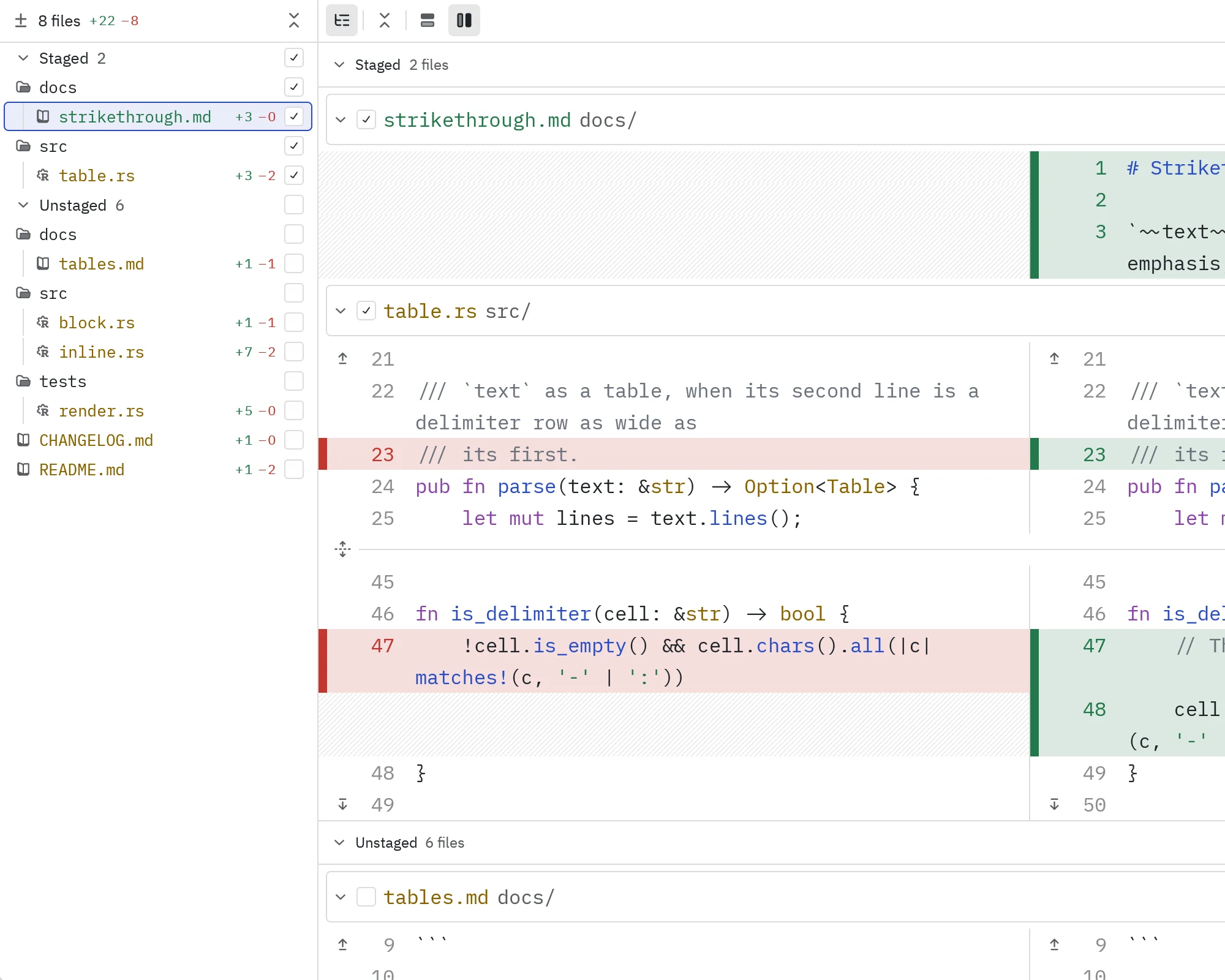
Available⌘J, or New Block → Changes
Changes
The worktree's diff, live. Stage a hunk without leaving the terminal.
Explore
 Recording
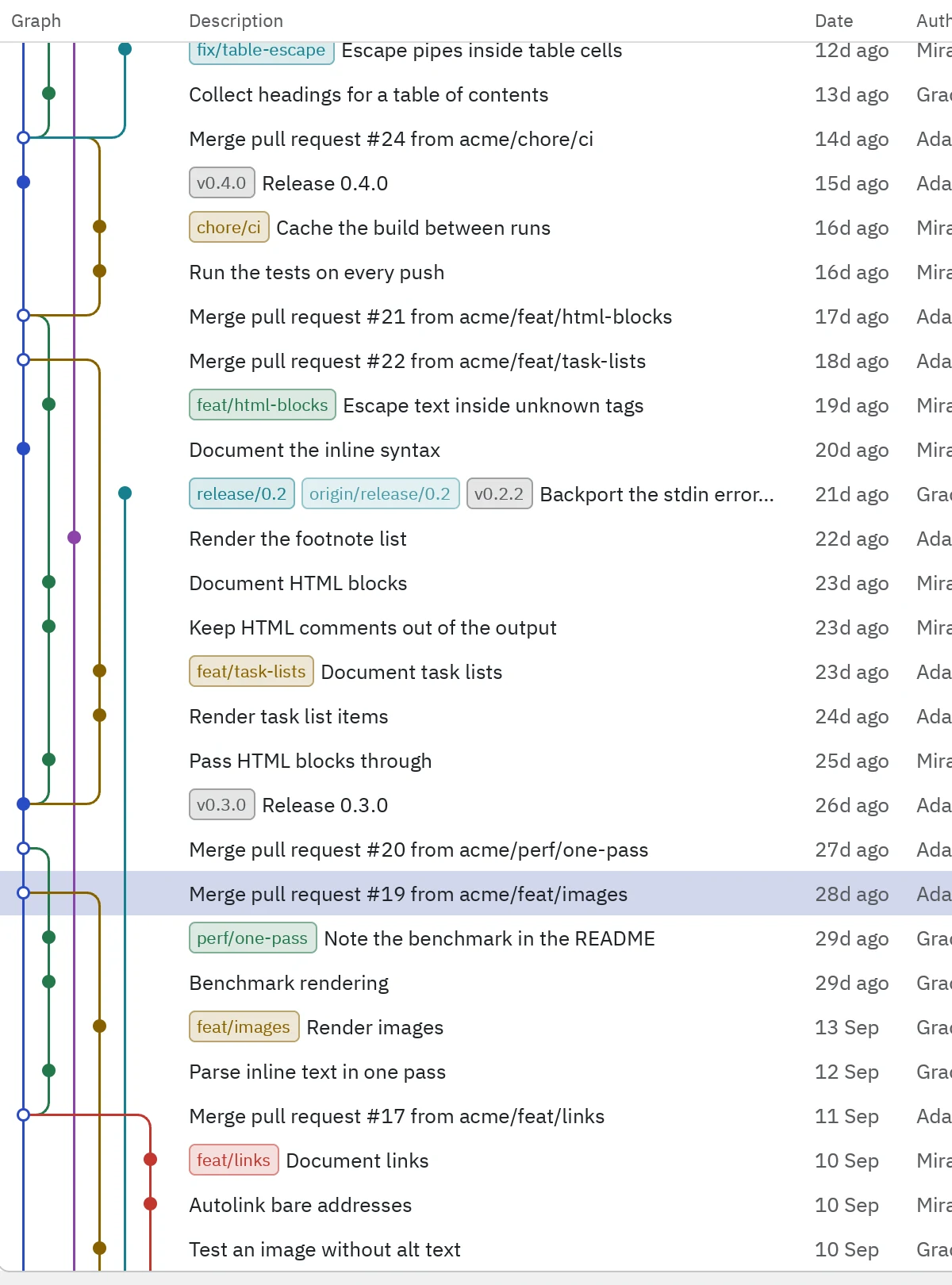
AvailableNew Block → History
History
The commit graph with each commit's diff. New commits arrive on top.
Explore
 Recording
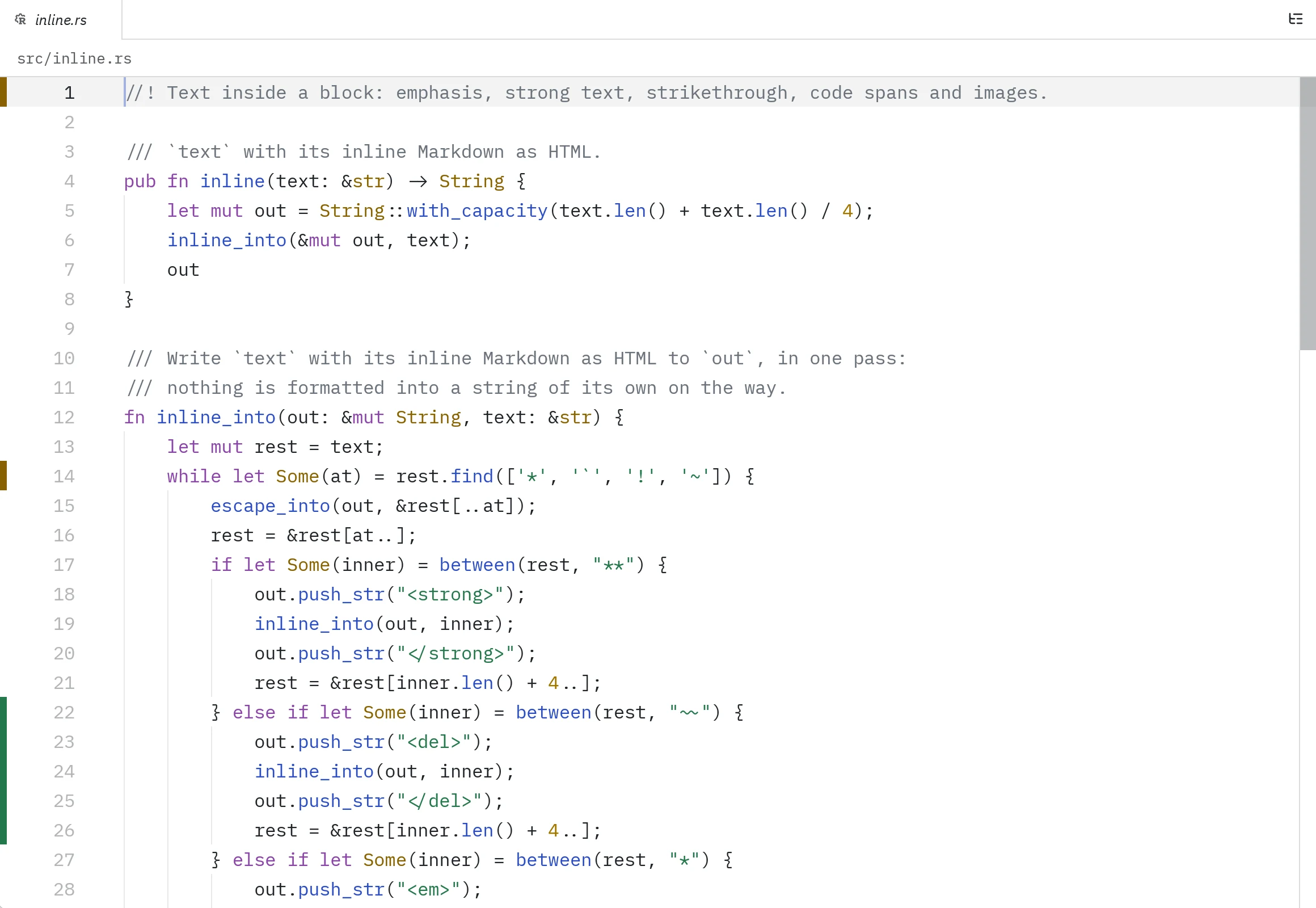
AvailableNew Block → Files
Files
The folder's tree and the file you pick. Edits save to the host.
Explore
 Recording
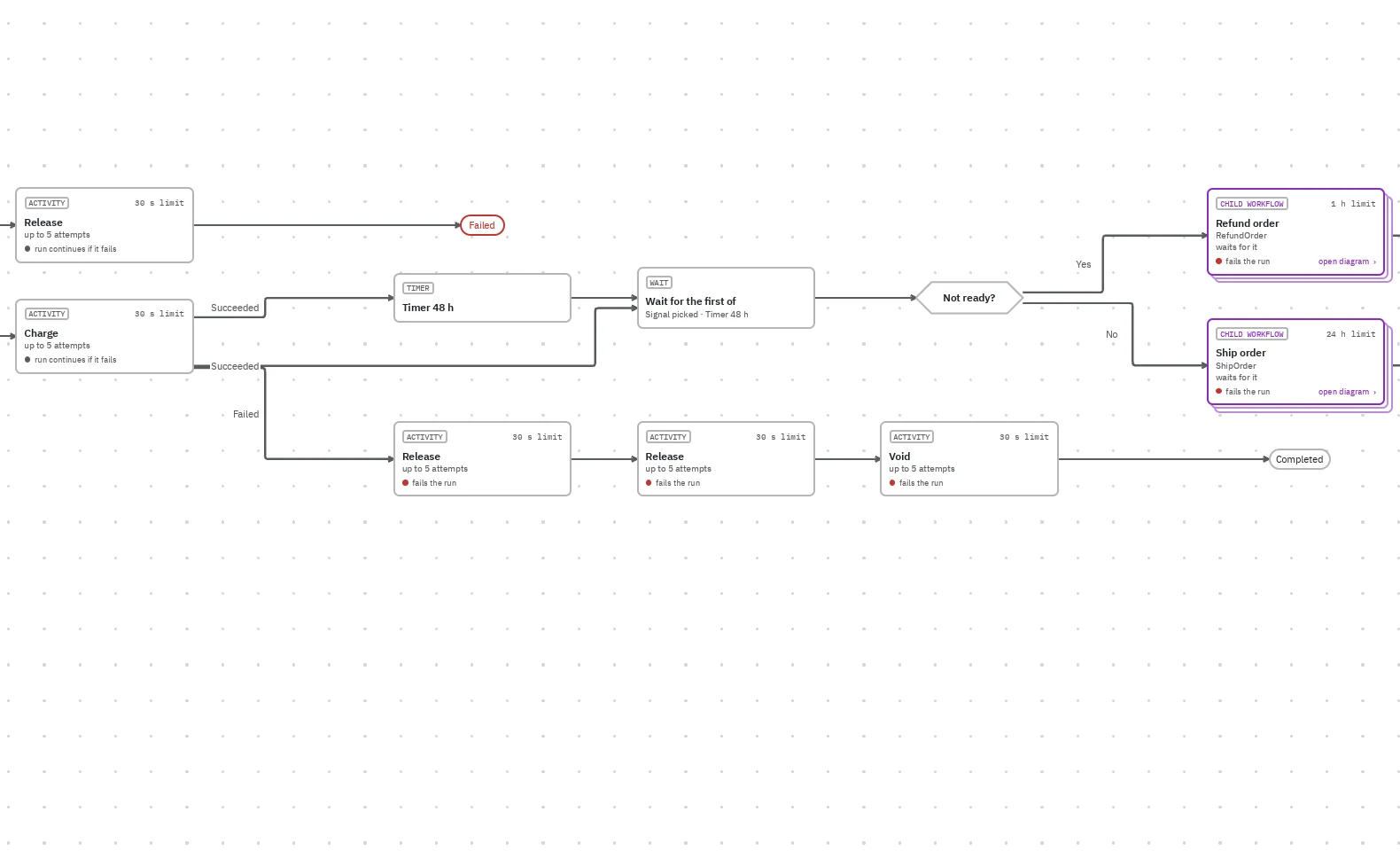
AvailableNew Block → Workflows
Workflows
Temporal workflows drawn from Go, Python or Rust source.
Explore- Illustration
$ bun dev
ready on http://localhost:5173
GET / 200 in 12 ms
localhost:5173AvailableNew Block → Browser, in the desktop app
Browser
A page beside the shell that serves it, from the host's own localhost. Desktop app only.
Explore 
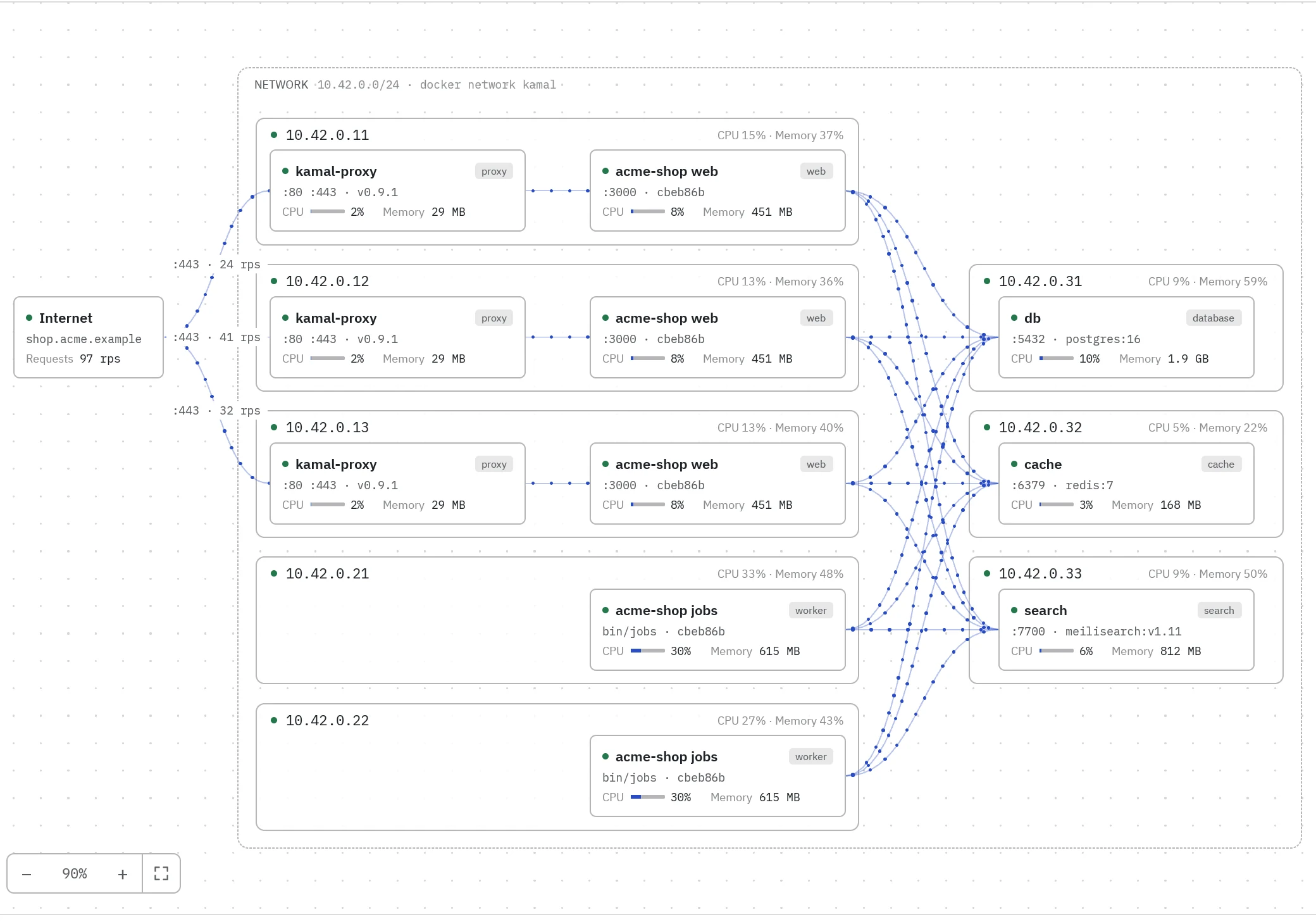 Recording
AvailableNew Block → Kamal, or the lightbulb in a terminal's header
Kamal
Servers, containers, deploys and logs of a Kamal project, live.
Explore
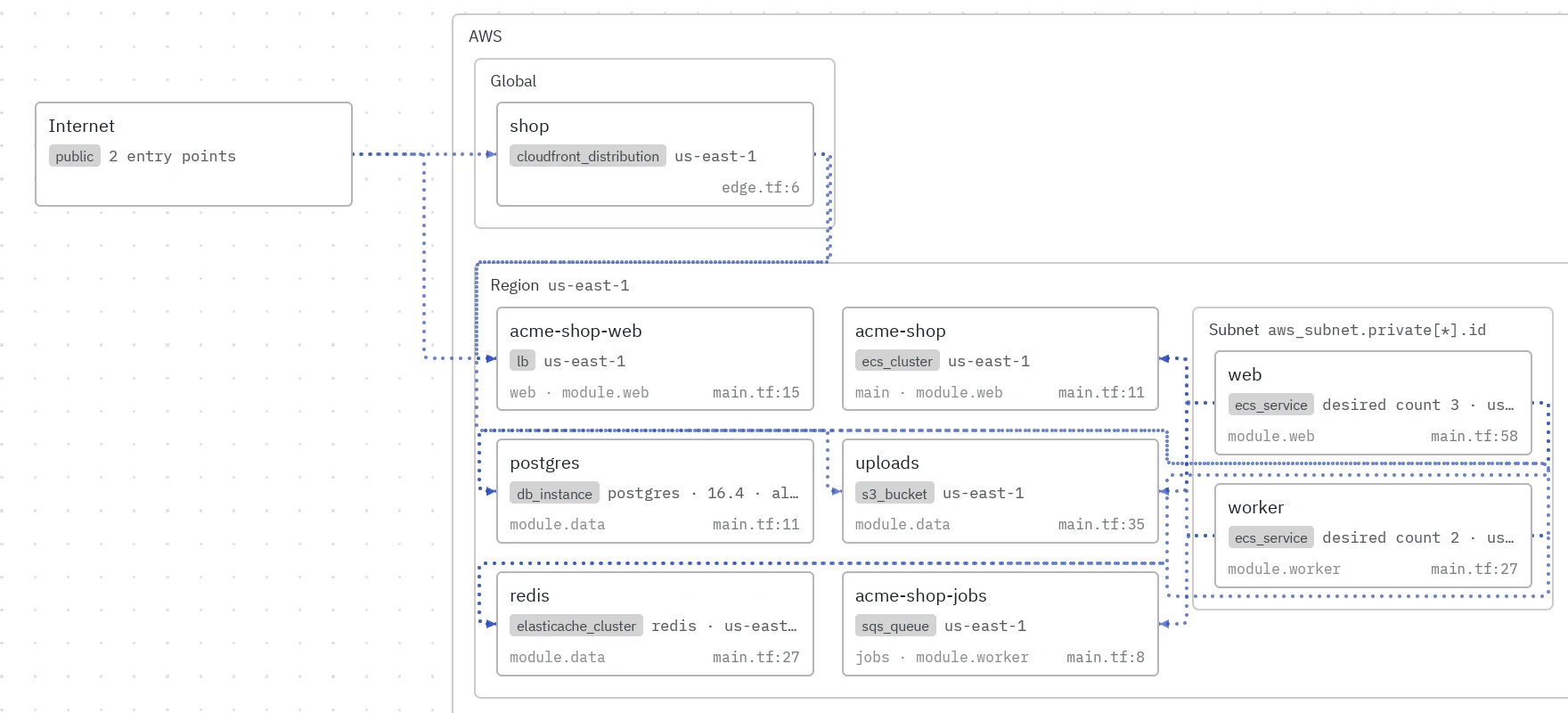 Recording
AvailableNew Block → Terraform, or the lightbulb in a terminal's header
Terraform
The infrastructure a Terraform project declares, as a map per environment.
Explore
Planned
Your own blocks, next.
Build a block for the tool your work needs and share it. A public extension system is planned; today the official extensions come with the app.